> ## Documentation Index
> Fetch the complete documentation index at: https://docs.agents.kolena.com/llms.txt
> Use this file to discover all available pages before exploring further.
# Manage API Keys
> Manage API Keys for Programatic Connections
## Using API Keys
The HTTP API and Python client use API keys for authentication in the following ways:
| Option | How To Use API Key |
| ------------------------------------------ | ----------------------------------------------------- |
| [HTTP API](/api-reference/quickstart) | Set API Key as Authorization bearer token in requests |
| [Python client](/python-client/quickstart) | Set API Key to `KOLENA_API_KEY` environment variable |
## Personal API Keys
Create or manage your personal API Keys by clicking "My API Keys" on your user profile in the top right of the web UI:
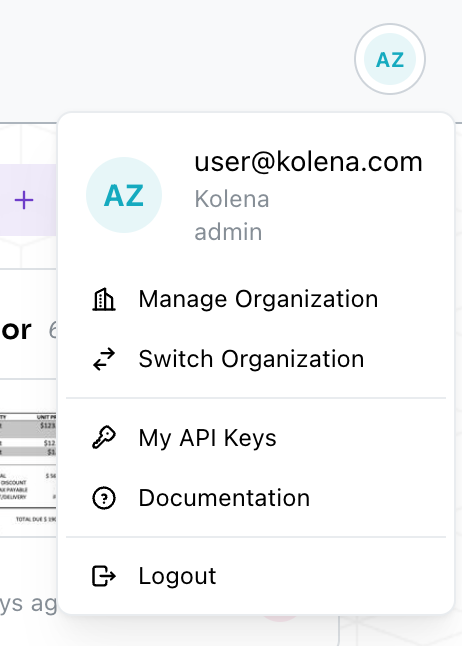 From here you can create new Keys and revoke existing ones.
All personal API Keys have the same roles and permissions as your user.
## Service Users and API Keys
This is available on the Enterprise Plan. [Contact Kolena](mailto:support@kolena.com) if you’re not on an Enterprise plan but would like to try this feature.
Service users can be created with API Keys associated to them.
This allows you to create Keys that are not tied to a specific user's membership in your Organization or their roles and permissions.
Organization `admin`s can create service users and API Keys from the "API Keys" tab on [your Organization page](https://agents.kolena.com/organization?tab=api-keys).
From here you can create new Keys and revoke existing ones.
All personal API Keys have the same roles and permissions as your user.
## Service Users and API Keys
This is available on the Enterprise Plan. [Contact Kolena](mailto:support@kolena.com) if you’re not on an Enterprise plan but would like to try this feature.
Service users can be created with API Keys associated to them.
This allows you to create Keys that are not tied to a specific user's membership in your Organization or their roles and permissions.
Organization `admin`s can create service users and API Keys from the "API Keys" tab on [your Organization page](https://agents.kolena.com/organization?tab=api-keys).
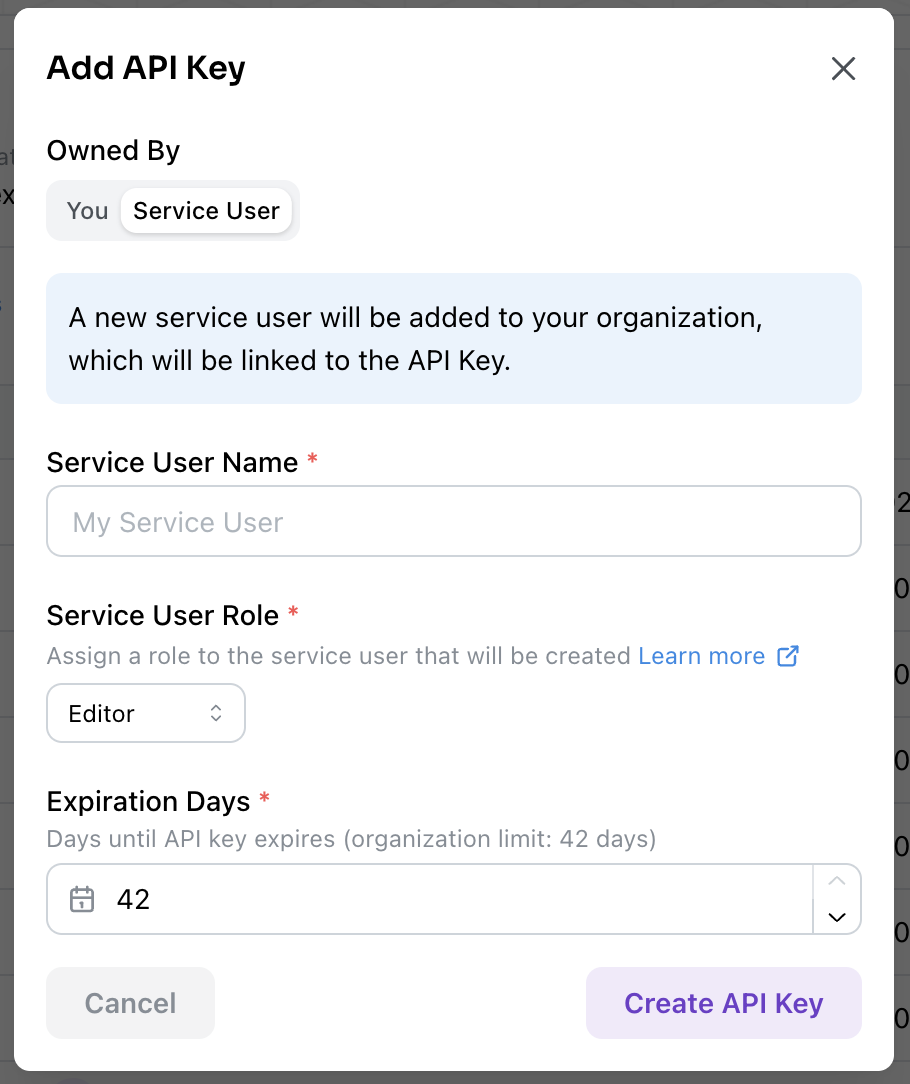 Creating an API Key from this modal will also create a service user.
This service user has a default Organization role which you can manage, and can be [given permissions on individual agents](/fine-grained-access-control) like any other Organization user.
## Managing API Keys Across Your Organization
Organization `admin`s can manage and revoke API keys for their team members and service users through the "API Keys" tab on [your Organization page](https://agents.kolena.com/organization?tab=api-keys).
## Programmatic API Key Management
Users can programmatically manage their API keys for automated rotation and monitoring workflows.
See the [API reference](/api-reference/create-api-key) or the [Python client guide](/python-client/quickstart#manage-api-keys)
### API Key Expiration
This is available on the Enterprise Plan. [Contact Kolena](mailto:support@kolena.com) if you’re not on an Enterprise plan but would like to try this feature.
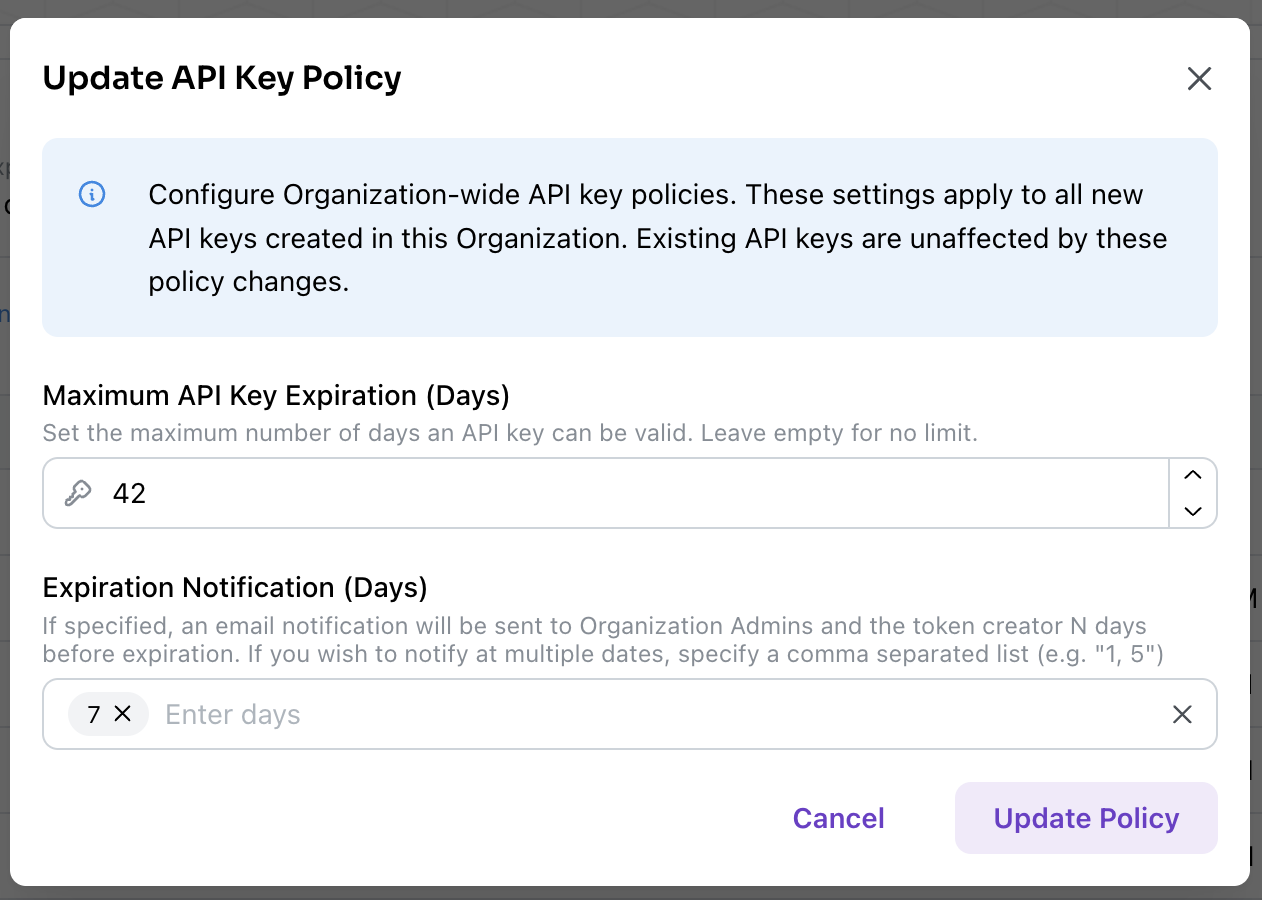
Organization administrators can configure organization-wide API key expiration policies from the "Data & Security" tab on [your Organization page](https://agents.kolena.com/organization?tab=data-and-security):
* **Organization-level policies**: Admins can require all keys to have an expiration date and set maximum allowed expiration periods for compliance
* **Individual key expirations**: When creating new API keys, users can set expiration dates that don't exceed organization policies
* **Expiration notifications**: Configure email alerts to be sent a specified number of days before key expiration to both administrators and the key owner
Creating an API Key from this modal will also create a service user.
This service user has a default Organization role which you can manage, and can be [given permissions on individual agents](/fine-grained-access-control) like any other Organization user.
## Managing API Keys Across Your Organization
Organization `admin`s can manage and revoke API keys for their team members and service users through the "API Keys" tab on [your Organization page](https://agents.kolena.com/organization?tab=api-keys).
## Programmatic API Key Management
Users can programmatically manage their API keys for automated rotation and monitoring workflows.
See the [API reference](/api-reference/create-api-key) or the [Python client guide](/python-client/quickstart#manage-api-keys)
### API Key Expiration
This is available on the Enterprise Plan. [Contact Kolena](mailto:support@kolena.com) if you’re not on an Enterprise plan but would like to try this feature.
Organization administrators can configure organization-wide API key expiration policies from the "Data & Security" tab on [your Organization page](https://agents.kolena.com/organization?tab=data-and-security):
* **Organization-level policies**: Admins can require all keys to have an expiration date and set maximum allowed expiration periods for compliance
* **Individual key expirations**: When creating new API keys, users can set expiration dates that don't exceed organization policies
* **Expiration notifications**: Configure email alerts to be sent a specified number of days before key expiration to both administrators and the key owner