How Usage Is Counted
The unit of usage in Kolena is called a credit.
Credits are consumed whenever an Agent executes a Prompt.
The amount of credit used by a Prompt depends on several factors, including the complexity of the task, the number and type of files processed, and the length of the output generated.
As a rule of thumb:
- Complex tasks, larger input files, and lengthier outputs will consume more credits
- Simple tasks, smaller input files, and shorter outputs will consume fewer credits
Credits are similar to getting a quote to off-shore or out-source a task: the more complex the task and the greater volume of data, the higher the cost.
For users familiar with the concept of “tokens” in large language models, credits can be thought of as a bundle of tokens encompassing the various operations performed by Kolena Agents, including input analysis, reasoning, and creating output.
Credit Usage By Common Use Cases
Here are some common use cases and their typical credit consumption per Run:
| Use Case | Credits per Run |
|---|
| Lease Abstraction | 1 - 3 Credits per Property |
| Loss Run Analysis | 3 - 4 Credits per Loss Run |
| Compliance Testing | 0.5 - 1 Credit per Account Statement |
Managing Credits
Each pricing tier comes with a monthly credit quota of credits.
Monthly credit quotas reset on the first day of each month and do not roll over.
If your monthly credit quota is consumed, you can continue using Kolena with overage credits.
These are additional credits that can be purchased in bulk or paid for as you go.
All prepaid credits are added to your Organization’s credit balance and will roll over indefinitely.
Viewing Credit Usage
Credit usage is displayed transparently in multiple locations:
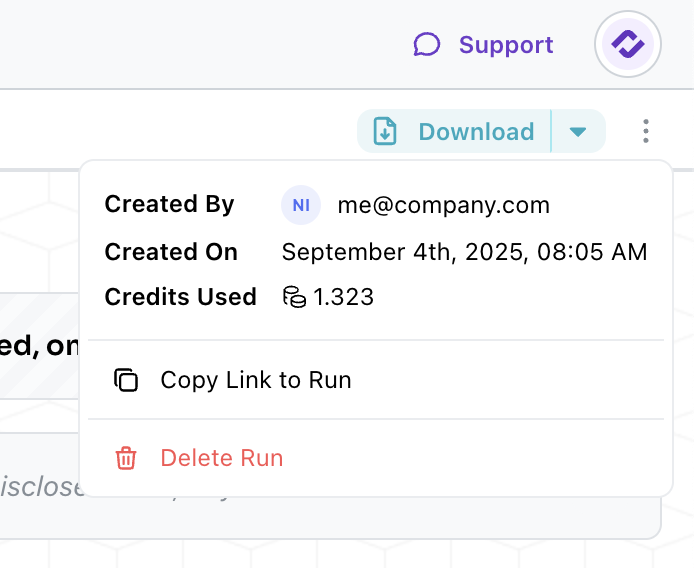
To view usage for an individual Run, navigate to that Run in Kolena and open the ellipsis menu in the top-right corner:
Estimating Credit Usage
The most accurate way to estimate credit usage for an Agent is to create the Agent and then execute a new Run on it.
This will provide an exact measurement of real usage that you can multiply for N Runs.
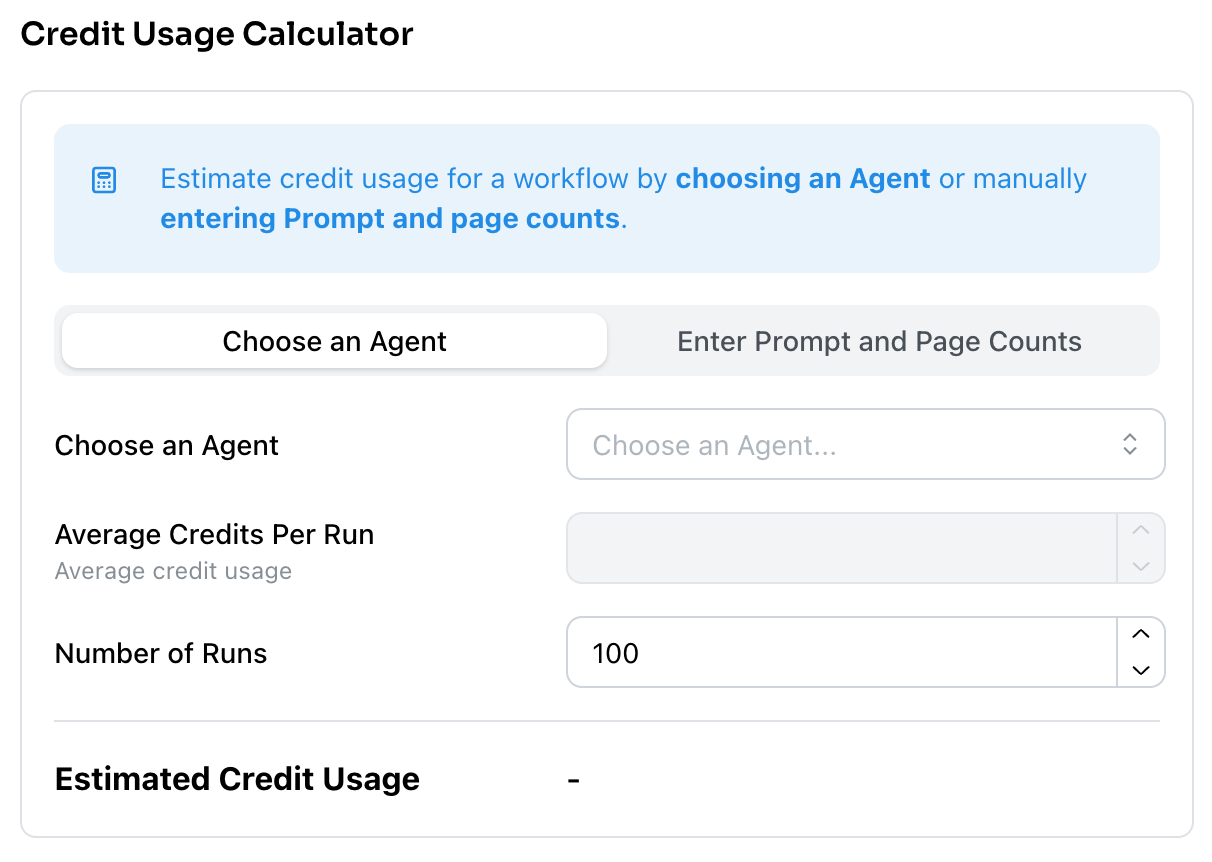
In addition, Kolena provides a Credit Calculator tool to help estimate credit usage.
This is available from your Organization Usage page.
An existing Agent can be selected to estimate based on historical usage, or an estimate can be produced using the number of prompts required and the number of pages in an average Run.
Legacy Plans: Page-Based Usage
Some existing customers are on page-based pricing plans.
Kolena will continue to support these plans, but new customers will be on the new user-based pricing plans described above.
Usage for your Organization is tracked from the number of pages uploaded.
Each pricing plan comes with a credit of new page uploads per month.
You can view your current usage and remaining credits from your Organization page.
To increase your monthly page upload limit, contact Kolena to upgrade your subscription to a higher plan or purchase additional pages with bulk pricing.
How Are Pages Counted?
Page uploads are counted in the following way for different file formats:
| Uploaded File Type | 1 Page Equivalent |
|---|
| Scanned Documents | 1 scanned page |
| PDF | 1 PDF page |
| Office Documents | 1 .docx or 1 .pptx slide |
| Images | 1 image |
| Spreadsheets | ~70 rows |
| Emails, Text | ~500 words of text |
| Audio | ~500 words of conversation |