
This is available on the Enterprise Plan. Contact Kolena if you’re not on an Enterprise plan but would like to try this feature.
Kolena supports multiple Workspaces to separate projects or teams with your Organization. Each Workspace is an isolated environment which can be permissioned independently. Workspaces are helpful for use cases such as isolating development environments, or to separate different departments within a larger Organization.

Creating Workspaces

Available Workspaces can be viewed from your Organization page. Upon request, Kolena will create additional Workspaces for your Organization.

Manage Workspace Access

Users or Teams can be roles assigned per Workspace. This means one user may have broad access to one Workspace, limited access to another Workspace, and no access at all to other Workspaces. Based on the Workspace role, Users can perform the following actions, regardless of their permission on any particular Agent in the Workspace:
Actionviewereditoradmin
Create API Keys
Create new Agents
Create/Modify/Delete all Folders
View all Agents
Create/Modify/Delete Integrations on all Agents
Create/Modify/Delete Data Retention Policies on all Agents
Create/Modify/Delete Dashboards on all Agents
Create/Modify/Delete Folders for all Agents
Create/Modify/Delete Prompts on all Agents
Create/Modify/Delete Runs on all Agents
Manage permissions for all Agents
Delete all Agents
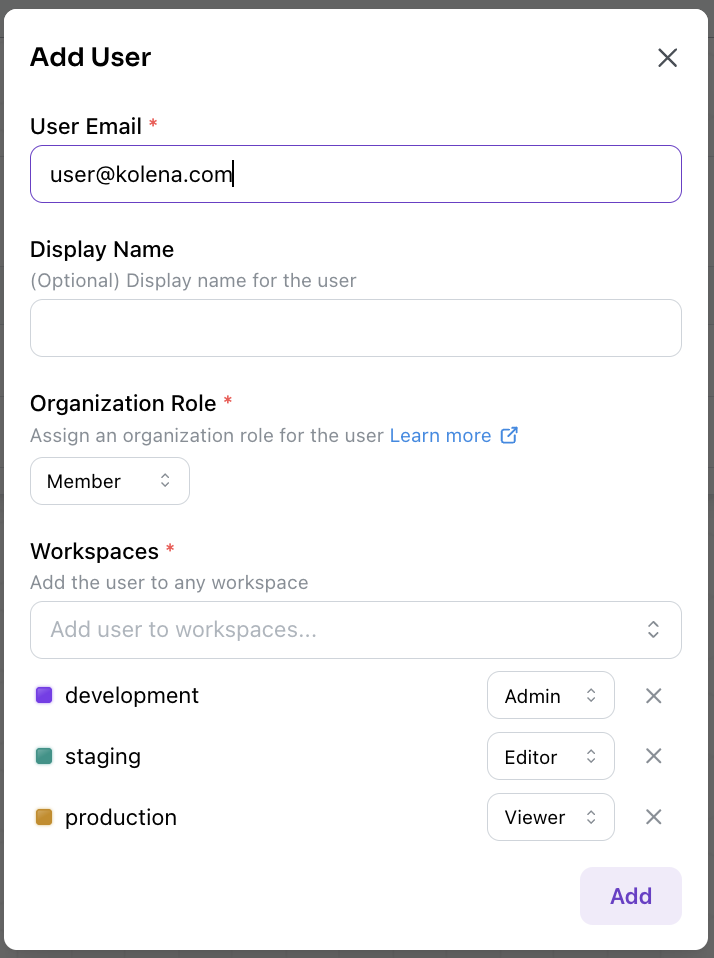
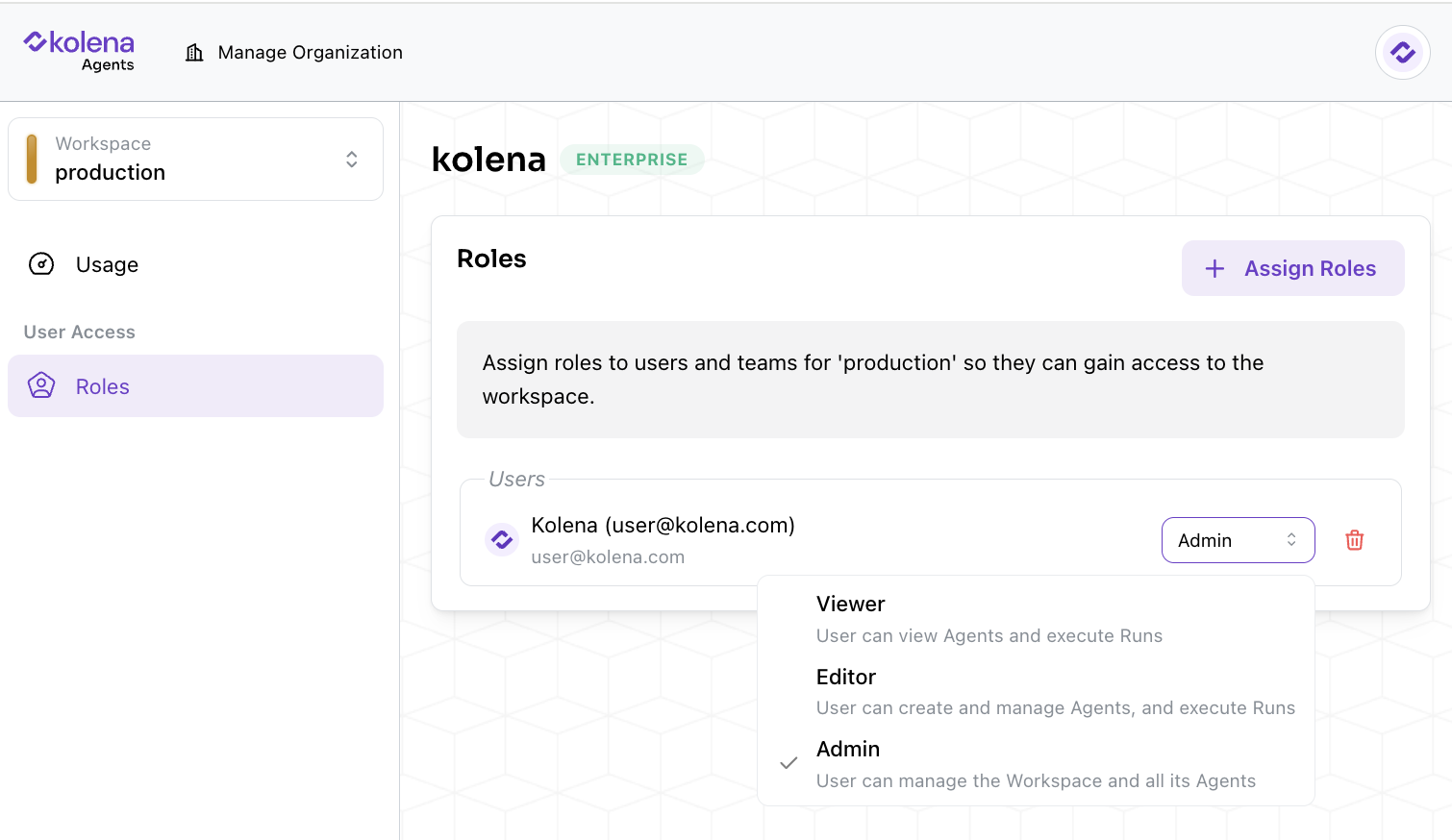
Organization admins can assign Workspace roles to each User or Team when creating new Users or Teams: In addition, Workspace roles may be modified by admins by navigating to the “Roles” tab for each Workspace and updating the selected role.
Organization vs Workspace Admins

When multiple Workspaces are present in an Organization, there are two levels of admin roles: Workspace admin and Organization admin.
ActionWorkspace adminOrganization admin
Check usage by Agents in a Workspace
Manage permissions within a Workspace
Check usage by Agents in all Workspaces
Manage permissions across all Workspaces
Create or delete Users and Teams
Manage all API keys and Service Users in the Organization
Manage Data Retention Policies
Manage SCIM Integration